
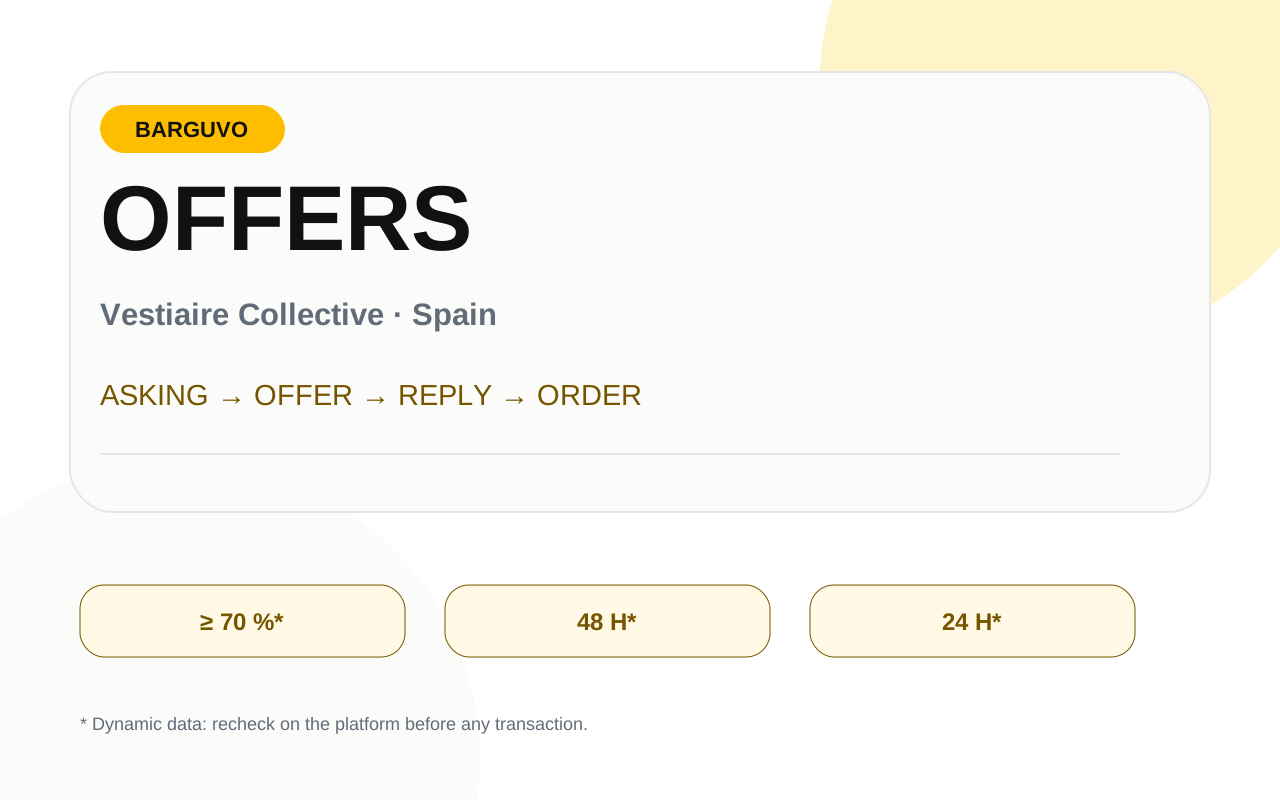
When «Hacer una oferta» appears
A practical decision and evidence before carrying out the transaction.
The seller decides whether to enable negotiation for their items. If the option does not appear, the buyer cannot use that flow. Enabling offers does not oblige the seller to accept, and receiving a proposal does not automatically reserve the piece. The current help states that the item remains visible at its original price while a negotiation is under way.
This avoids an important assumption: a price conversation is not the same as a closed transaction. Until the order is completed, the listing is still ASKING and the proposal is still a pending offer.
Published price; not a closed sale.
A proposal within the platform’s limits.
Only exists when a transaction is completed as a sale.
Platform limit: 70 % of the price
A practical decision and evidence before carrying out the transaction.
Vestiaire currently states that the proposed price cannot be lower than 70 % of the item’s price. In other words, the maximum reduction the tool allows on the published price is 30 %. That is a technical restriction, not a Barguvo recommendation to always offer 30 % less.
A reasonable offer depends on comparables, condition, time listed, rarity, accessories and your genuine willingness to close. If the evidence does not justify a large reduction, automatically starting at the minimum allowed can be a poor strategy.
Mechanics ≠ strategy
The fact that the platform allows -30 % does not mean that -30 % is “the right price” or that the seller should accept it.
Well-supported time limits: 48 h and 24 h
A practical decision and evidence before carrying out the transaction.
The current help pages agree that the seller has up to 48 hours to accept, decline or counter an offer received. If the seller accepts the buyer’s original offer, the current documentation indicates a 24-hour window to complete the order.
These time limits describe the platform’s mechanics and may change, so Barguvo treats them as P0 freshness data. If the countdown in your negotiation room shows something more specific, follow the real countdown.
Counter-offers: use the visible countdown
A practical decision and evidence before carrying out the transaction.
There is a documentary inconsistency here that Barguvo does not hide. A help page aimed at sellers currently states that, if the buyer accepts the counter-offer, they have one hour to complete the purchase. The help page aimed at buyers shows 24 hours. As both are official and current, publishing one of those numbers as a universal rule would be pretending to be certain.
The guide adopts an operational solution: when a counter-offer is accepted, use the countdown shown in the negotiation room and act with margin. Do not design reminders or critical decisions around “1 hour” or “24 hours” until Vestiaire unifies its documentation or the real flow provides an unambiguous figure.
Buyer’s offer vs seller’s net
A practical decision and evidence before carrying out the transaction.
The documentation may also seem contradictory about whether the buyer’s service fee is “included” in the offer. The useful reconciliation is by perspective: the buyer sees their total and the breakdown of their fee; the seller assesses the offer amount and their earnings after their own fees. Do not mix the two views.
Before accepting, the seller should look at the net amount the platform shows. The buyer should look at the total they will have to pay. Barguvo can compare scenarios, but it should not rebuild the checkout with an average fee if the platform provides the specific amount.
Negotiate with evidence, not with a magic percentage
A practical decision and evidence before carrying out the transaction.
Start by identifying what type of price you are looking at. Other active listings are ASKING. Verifiable closed sales are SOLD. A Barguvo estimate is BARGUVO_ESTIMATE and must explain its data and limits. Do not mix these categories to justify a phrase such as “it is worth 25 % less”.
If the item has a defect not reflected in the comparables, adjust the comparison. If it includes accessories or a scarce variant, do the same. A good counter-offer can be a figure accompanied by a short, verifiable reason, not a long argument about what it “should” be worth.
Same variant, condition and scope where possible.
Set a maximum purchase price or a minimum selling price before negotiating.
Do not confuse the urgency of the countdown with the value of the item.
When to counter-offer and when to stop
A practical decision and evidence before carrying out the transaction.
As a buyer, decide your maximum before entering a sequence of counter-offers. As a seller, decide your minimum net amount taking fees into account. If the negotiation crosses that limit, ending it may be better than carrying on out of a sense of commitment. Do not raise your maximum just because the seller replied quickly or because the countdown is running down.
Not reaching an agreement is not a system failure. Barguvo should make it possible to compare the accept / counter-offer / wait scenarios, showing which assumptions support each option. The final decision remains a human one.
What Barguvo can and cannot do
A practical decision and evidence before carrying out the transaction.
Barguvo can help you draft an offer in a direct, friendly or firm tone; summarise the context; calculate net amounts with revalidated fees; and remind you what evidence supports your figure. It cannot send the offer automatically or host the negotiation as a substitute for Vestiaire.
The final action takes place in Vestiaire’s negotiation room. That boundary prevents auto-messaging and unauthorised automation, and allows Barguvo to remain a co-pilot even if the platform’s interface changes.
No auto-sending
Preparing a message or offer is not the same as carrying it out. The user reviews and sends it on the original platform.
A clear offer needs little text
A practical decision and evidence before carrying out the transaction.
When the flow allows you to add context to the negotiation, prioritise brevity and facts. A figure + one verifiable reason is usually enough. Avoid manipulative tactics, false urgency or inventing competitors’ prices. If you have no evidence, you can simply present your figure as your maximum budget.
As a seller, a useful counter-offer can reflect your minimum net amount rather than an emotional reaction to the initial proposal. Calculate the fees beforehand and decide what amount you would really accept. As a buyer, do not automatically go up in small increments if you have already reached your maximum.
Barguvo can generate wording variants, but it must always show the figure and the reasoning to the user before they copy or send anything. The original platform keeps the act of negotiating.
Three negotiation scenarios based on real limits
A practical deep dive to reduce mistakes before acting.
Buyer scenario: an item is listed at 1.000 € and your real maximum is 820 €. You can open with a lower figure if you have reasons, but the technical 70 % limit only marks how far the tool allows you to go down. Your maximum is still 820 €. If the seller counters with 900 €, you do not need to go up because “you are already close”; you compare it with your limit and decide.
Seller scenario: you list at 1.000 €, but after fees you need to receive at least a certain net amount. Before enabling offers, calculate which closing price produces that net amount. When a proposal comes in, you can accept it or counter-offer with a clear rationale. That way the negotiation does not depend on a feeling of loss compared with the ASKING price.
Scenario with uncertainty: you have few comparables and no verifiable sold ones. In that case, do not invent an exact “fair value”. You can negotiate with a range and acknowledge that part of the decision is a preference for closing now versus waiting. Barguvo must reflect that uncertainty rather than dressing it up as precision.
How to design reminders without freezing a conflicting time limit
A practical deep dive to reduce mistakes before acting.
The product can use a generic reminder such as “check the negotiation room before it expires” and ask the user to enter the time shown, instead of hard-coding 1 hour or 24 hours for an accepted counter-offer. This keeps it useful even while the official help pages are out of step.
The time limits that are sufficiently supported —48 hours for the seller’s response and 24 hours after acceptance of the original offer— can be shown with a source date and a freshness indicator. Even so, the platform’s countdown takes precedence if it is more specific.
This architecture is the same one Barguvo applies to title, description or fee limits: central configuration and a versioned source of truth, not numbers duplicated across many components. If a platform changes the rule, a controlled update avoids inconsistencies between guides and the app.
Useful negotiation without artificial pressure
A practical deep dive to reduce mistakes before acting.
A good negotiation tool does not need pressure techniques. It can help express a budget, an observation about condition or a comparison without inventing other buyers, false urgency or threats. On the seller’s side, it can explain that the minimum price reflects the expected net amount without manipulating the buyer. This neutrality fits a co-pilot better than an auto-messaging system.
It should also detect when a new counter-offer barely changes the outcome. If the user has already reached their maximum, pushing on because of the countdown does not improve the decision. If the seller has already reached their minimum net amount, continuing to drop the price just because “there is little time left” can destroy margin. Barguvo can show the limit defined by the user and how far the current proposal is from it.
The negotiation ends on Vestiaire. Barguvo prepares text and scenarios, but it must not monitor the room through prohibited scraping, send automatic replies or simulate a reservation. If the user copies a message, they must always be able to review it before sending it.
Do a checkpoint before each new figure
A negotiation improves when each move responds to a reason and not just to the previous move.
Before sending another offer or counter-offer, check three things: how much your outcome really changes, whether new evidence has appeared and whether you are still within the limit you set before negotiating. If none of the three has changed, moving the figure just to keep the conversation going usually adds noise. Barguvo can show that difference neutrally and let the person decide.
It is also worth separating time from valuation. A countdown can justify acting soon so as not to miss the opportunity, but it does not change the value of the item. If the only reason to exceed your maximum is that there are only a few minutes left, the decision is being driven by time pressure, not by evidence. The final flow and any message are always reviewed and sent on Vestiaire.
Organise data, evidence, price, costs or checklist before carrying anything out.
Publishing, buying, selling, negotiating, shipping or making a claim is done on Vestiaire Collective.
FAQ
How much can I take off in an offer?
The current tool does not allow an offer below 70 % of the published price, which means it limits the reduction to 30 %. That is not a strategic recommendation.
How long does the seller have to respond?
The current help states up to 48 hours to accept, decline or make a counter-offer.
How long do I have if my offer is accepted?
For the buyer’s original offer, the current help states 24 hours to complete the order.
How long does a counter-offer last?
The current official help pages are not consistent about the time limit after a counter-offer is accepted. Follow the countdown shown in the negotiation room.
Is the buyer’s fee included in the offer?
The buyer sees their total/breakdown and the seller their amount/net. Do not mix the two perspectives; check the details shown on your screen.
Is the item reserved while I negotiate?
The seller help states that the item remains visible at the original price to other members during the negotiation.
Can Barguvo send the offer automatically?
No. It can prepare text, a figure and scenarios, but the user sends or continues the negotiation on Vestiaire Collective.
Offer mechanics revalidated on 25/08/2026. Well-supported time limits are cited with a current source and, given the counter-offer conflict, the visible countdown in the negotiation takes precedence.